
Start with what you already use
Your email, files, calendar, and team conversations do not have to live in five different places anymore.

Your AI team is on duty
Ten specialists, twelve connected apps, phone, fax, and e-signatures — one login for the way real businesses, teams, and solo operators actually run.
Start with the Free plan — no card required.
One login for every app
10 specialists at their own desks
Office Suite phone, fax, signatures, and Giga Link video meetings
Your review before work goes out
Built for you business, sports, solo
The apps
Email, messages, group threads, documents, spreadsheets, files, calls, and signatures — connected, so the work moves instead of getting copied from app to app.
 MailEmail that works like a team inbox: organized, searchable, and ready for Pam to help with drafts, summaries, and follow-ups.
 ChatDirect messages and team conversation in the same place as your mail, so context never gets lost between apps.
 TablesGroup conversation for the people and projects that need a running thread — like a smarter group text for work.
 CalendarMeetings, reminders, and Meeting Notes in one calendar, with guests and follow-ups handled in the flow.
 PagesWrite documents, proposals, and notes with your team — then send them to Sign when they are ready.
 CellsSpreadsheets for budgets, rosters, trackers, and lists, connected to the rest of your workspace.
 DecksPresentations and pitch decks built from the same files and notes your team already uses.
 FilesA library for photos, videos, documents, and shared work — searchable, organized, and attached to the right conversation.
 PhoneBusiness calling, texts, fax, and a smart receptionist that can answer, screen, and take messages.
 SignSend documents for e-signature and track who signed, who is waiting, and what happens next.
 ConsoleThe command center for your AI team: ask any specialist for help and watch the work land on their desk.
 Giga LinkVideo meetings from a link — send a link and you're in. Guests join free from the browser with just a name; nothing to install.
25 apps ready to connect, with more follow-up possibilities through automations.
Your email, files, calendar, and team conversations do not have to live in five different places anymore.
A document can become a signature request. A calendar note can become a follow-up. A photo can become a post.
The apps are designed for the way owners actually work: in the truck, on the field, at the shop, and between appointments.
Meet the crew
Ask in plain words. The right specialist picks it up, does the work, and brings it back to the desk for your review.

Executive Assistant
Runs your desk — schedule, inbox, and follow-through across your whole business.

Social Media
Plans and drafts your posts, keeps your pages active, and brings ideas back for your approval.

Content Writer
Writes pages, posts, and stories in your voice — and rewrites until it sounds like you.

Sales
Works your leads, writes the follow-ups, and keeps the pipeline moving while you are busy.

Legal Prep
Prepares contracts and paperwork for review and keeps the details straight.

Receptionist
Answers your business line around the clock, screens callers, and takes messages.

Web Developer
Builds and updates your website, then shows you the preview before anything goes live.

Image Generator
Creates product shots, graphics, and photo edits for your posts, store, and site.

Code Generator
Writes and checks code, builds small tools, and fixes what is broken behind the scenes.

Video
Turns your clips and ideas into finished video for social, your store, and your site.
How it works
No prompt engineering and no new system to learn. Open the Console, pick a desk, and say what you need the way you would say it to a person.
“Kevin, post the new arrivals.” “Tammy, take my calls Friday.” “Peter, fix the banner on the home page.”
Every request becomes real work on that specialist's desk — not a chat bubble that disappears.
Posts, pages, and paperwork come back for your review. Nothing represents your business without your say-so.
Tables · group threads that work
A Table is a running thread for a team, a family, a staff, or a project. Everyone talks in one place — and the crew can be right there in the thread, turning talk into finished work.
Tag the work to a specialist without leaving the conversation.
Photos, documents, and finished work stay attached to the thread that asked for them.
Staff, team parents, family, vendors — each group gets its own Table.
Example · Team Table
Practice moved to Thursday — can somebody update the calendar and tell the parents?
Pam · Executive Assistant
Done. Thursday 6 PM is on the Calendar, and the parent note is drafted in Mail for your approval.
Kevin · Social Media
I made a quick graphic for the schedule change — it is on my desk when you want to post it.
Crystal · Legal Prep
The updated waiver is in Pages, ready to send to Sign for the new families.
One ask in the thread. Three desks moved.
The Office Suite
Phone, fax, signatures, files, documents, calendar, and video meetings — the everyday machinery of a real business, in the same login as your AI team.
Choose which numbers ring your devices first — and which go straight to the receptionist. Every call lands in one history.
Tammy can answer, screen, and take a message. Your devices ring first; she picks up only when you cannot.
Send and receive faxes from the same system — no machine, no extra line, no separate app.
Send contracts, waivers, and agreements for signature, track every signer, and keep the signed copy in Files.
Photos, videos, documents, and shared work in one library — organized and attached to the right conversation.
Meetings with guests, notes that stay with the event, and follow-ups that do not fall through the cracks.
Documents, spreadsheets, and presentations that open right in the browser and share with a click.
Asks become tracked work with an owner and a status — nothing lives in somebody’s memory.
Your site, built and updated by Peter from plain instructions — preview first, publish on your word.
Meet face to face from the same login — no separate meeting app for your team to juggle.
Send a link and you're in — guests join free from the browser with just a name. No account, nothing to install.
Real help inside the console, from people who can see the same screens you see.
The right ping at the right time — new mail, missed calls, finished work — without the noise.
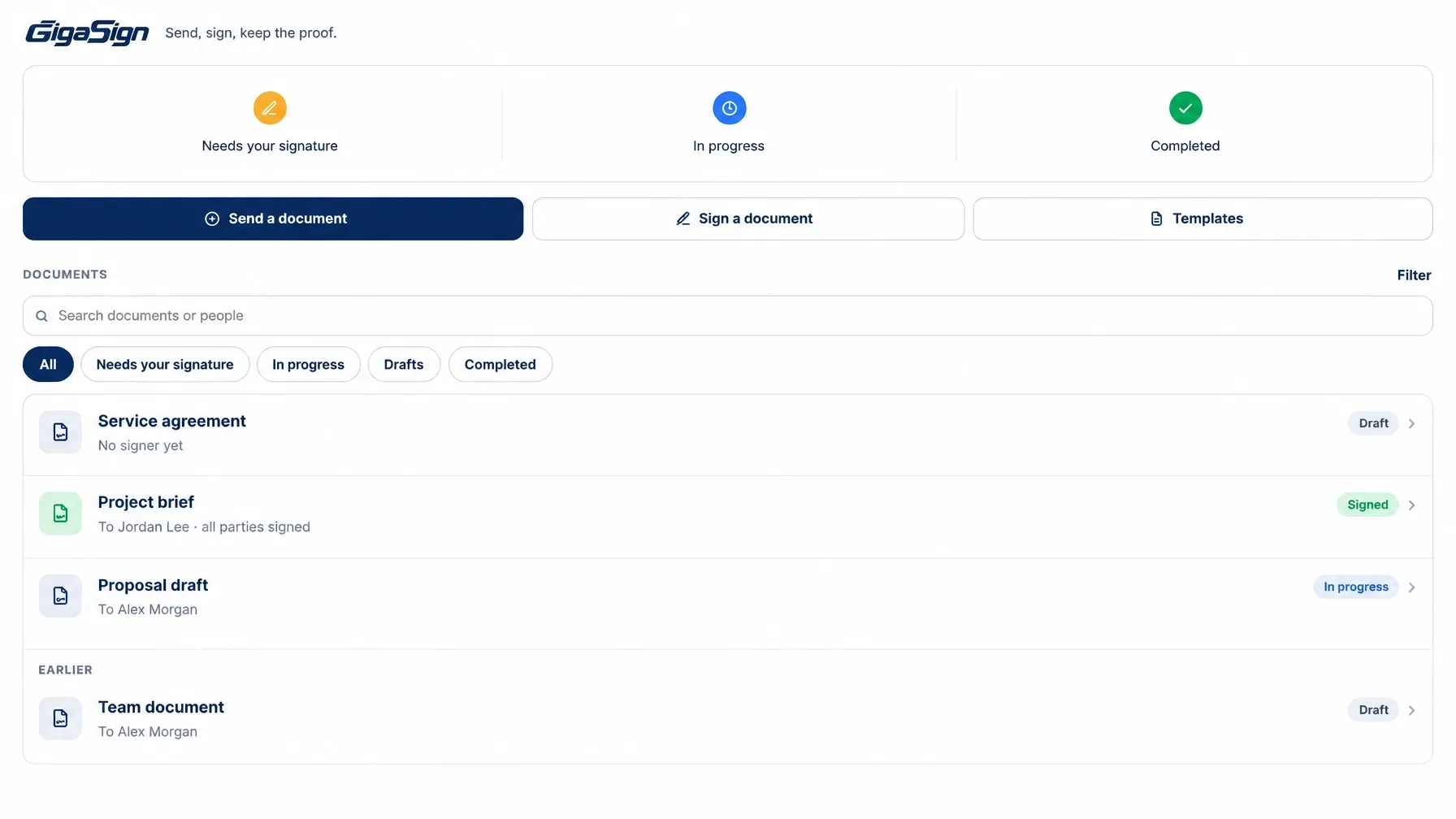
Prepare a document, place the signature fields, and send — the signed copy files itself in your library.
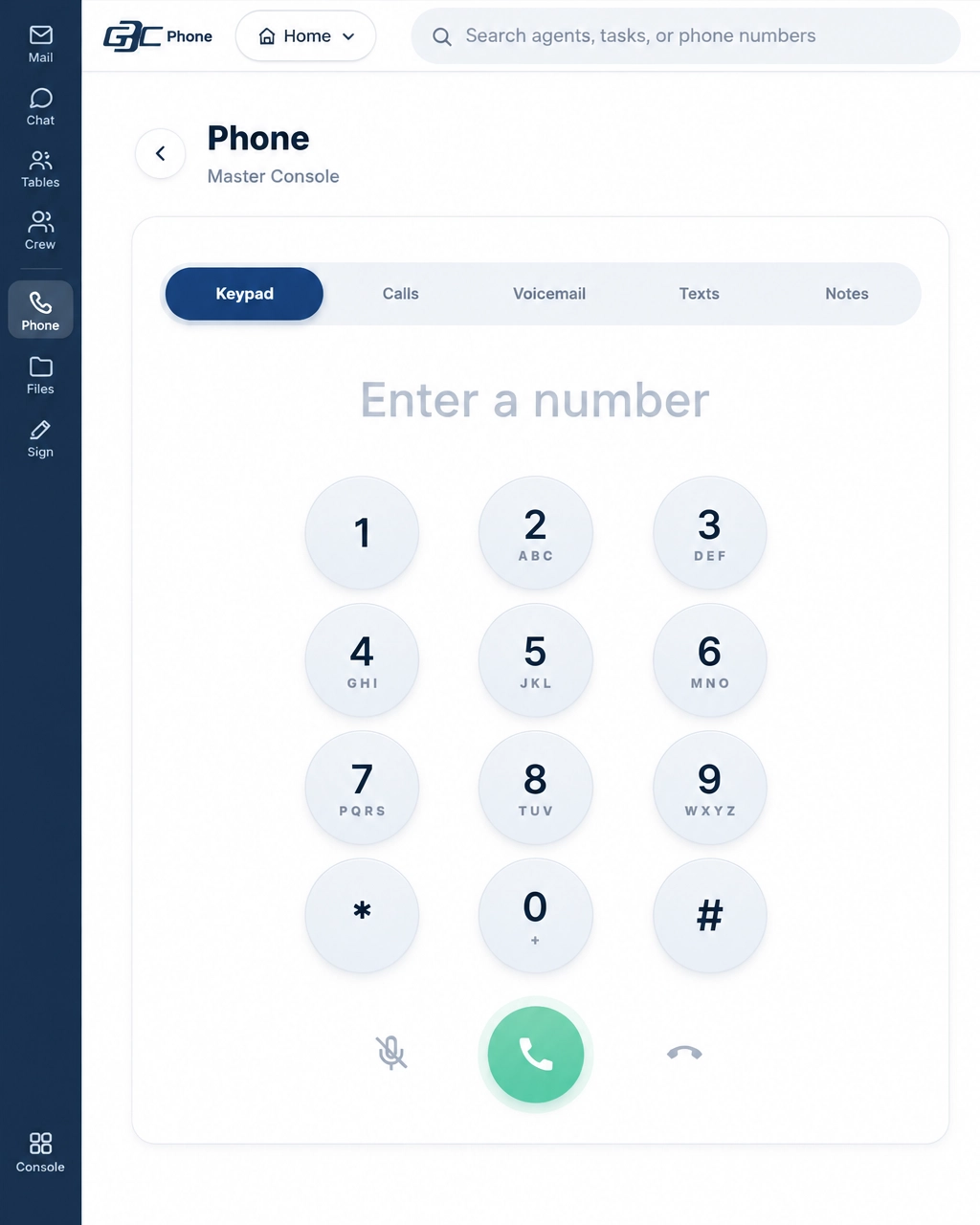
Call, text, and fax from your business numbers — recent calls, messages, and settings in one place.
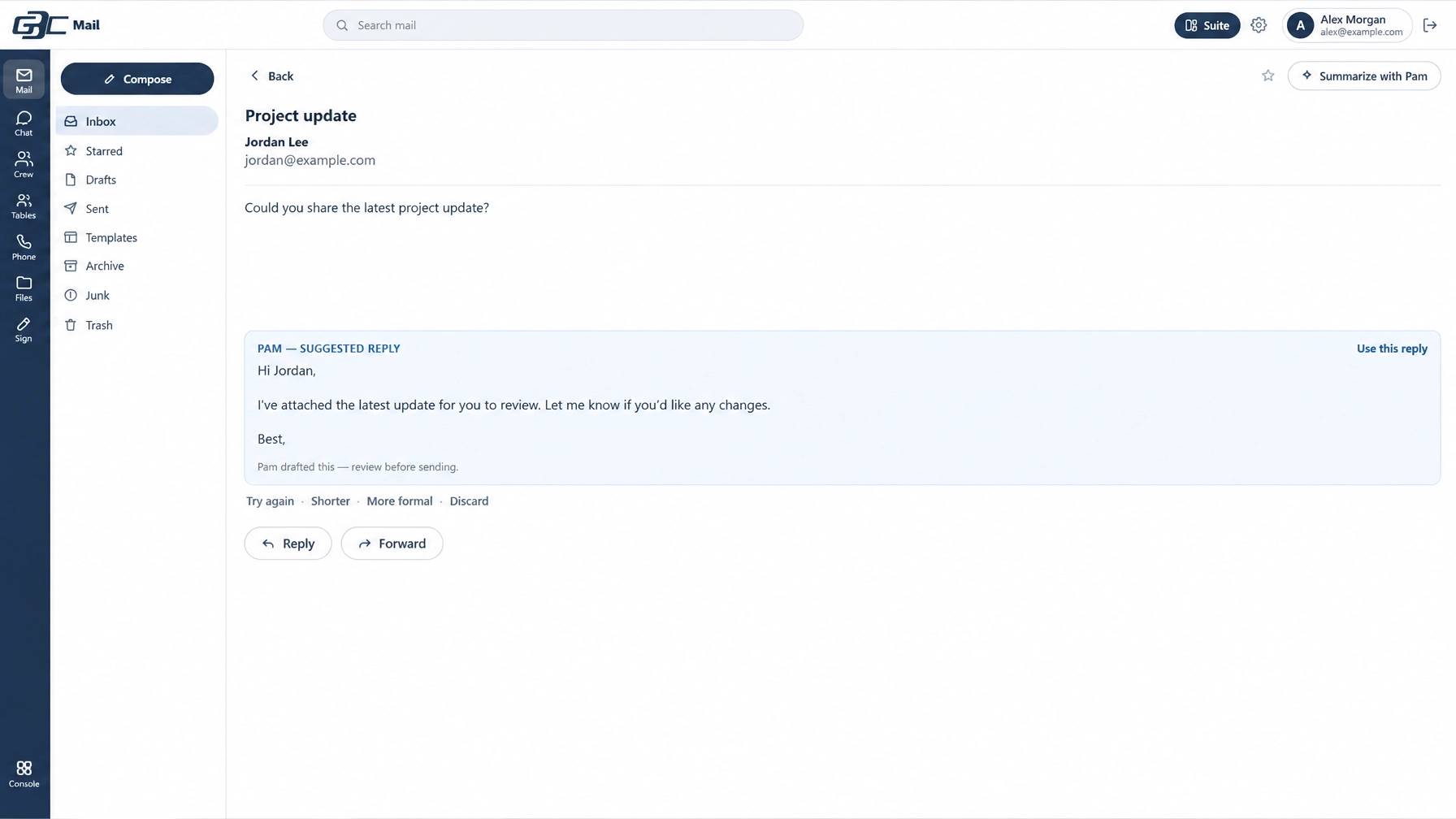
Long threads become short summaries, and the reply is drafted before you ask.
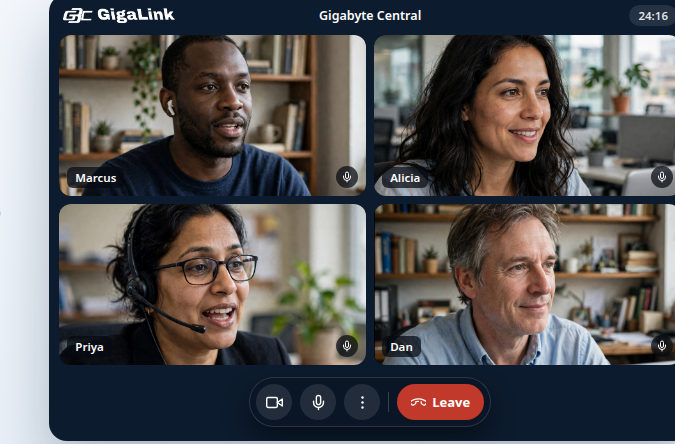
Send a link and you're in — guests join free from the browser, no downloads, no account needed.
Summaries, draft replies, and follow-up reminders — right where the mail already is.
Connect your domain and run mail on it, with SPF, DKIM, and DMARC set up for you.
Owner, staff, and shared addresses under one sign-in that follows you across devices.
Message anyone without leaving Mail — direct messages and Tables in one place.
Full-text search across every mailbox, with attachments and threads together.
Modern filtering and authentication checks on every message, in and out.
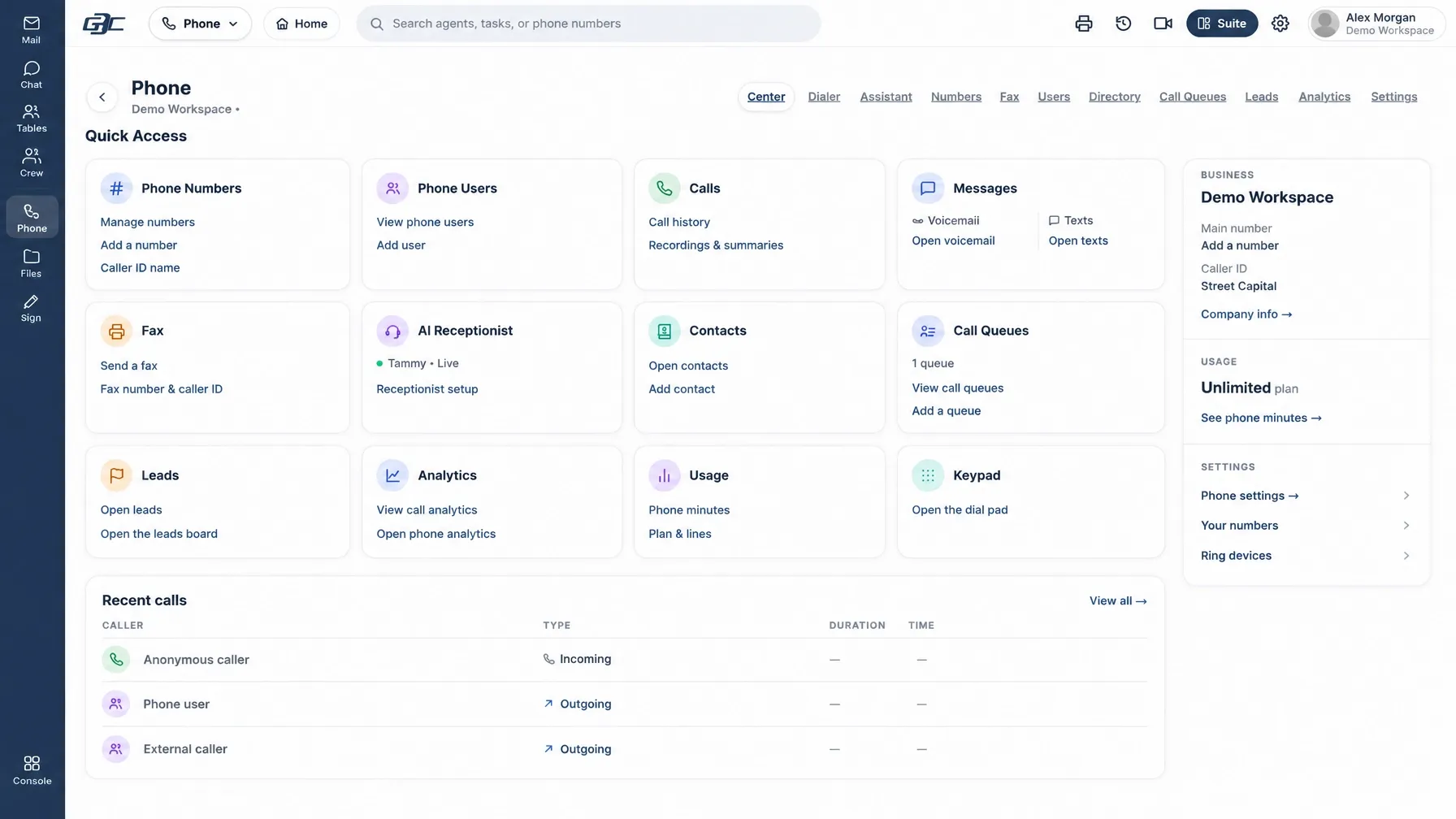
Missed, answered, and AI-handled calls in a single list — with messages and recordings attached.
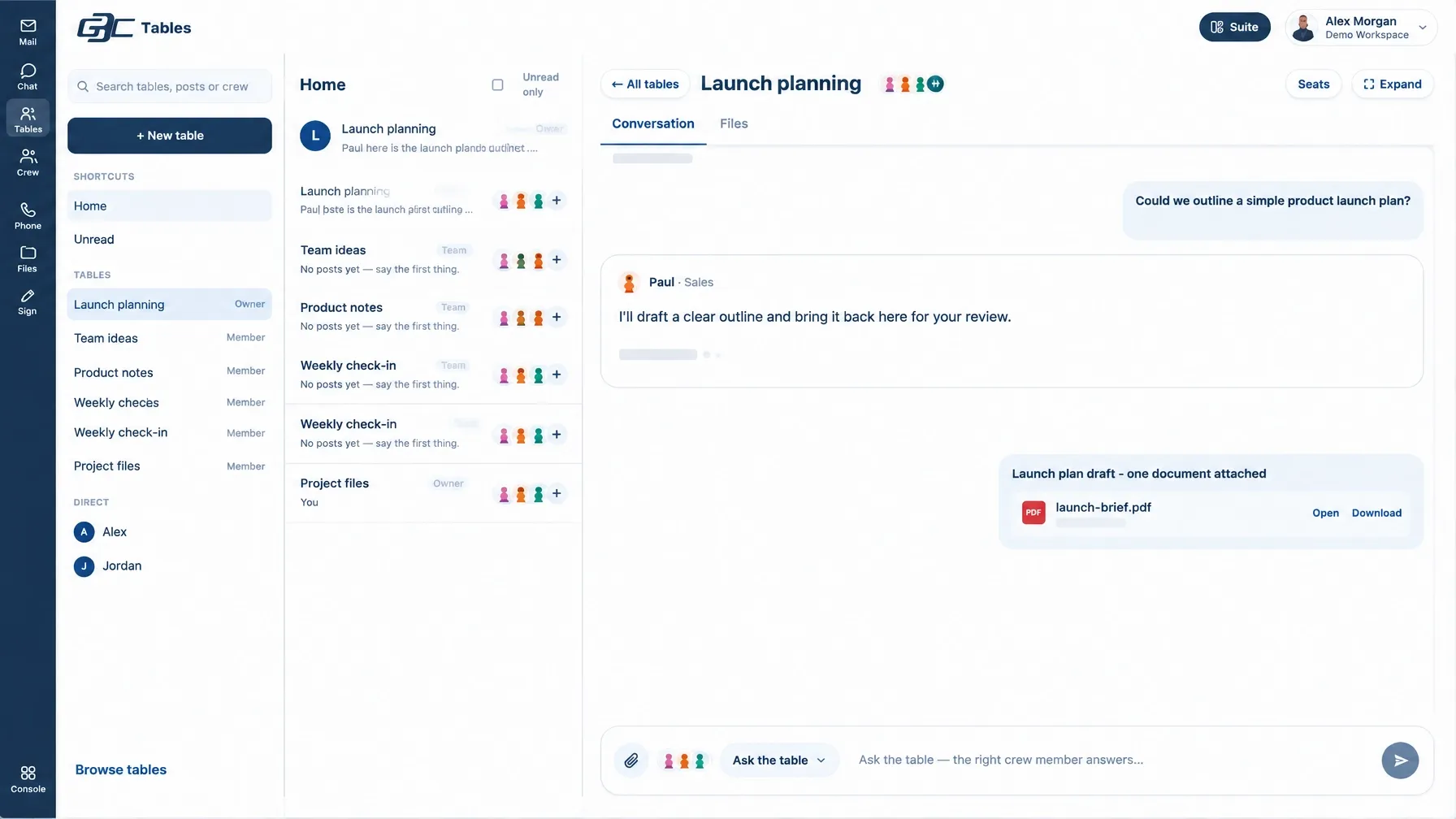
Group conversation, files, and finished work — one thread per team, project, or family.
Phone
One number for calls, texts, and fax. Your team answers when they can — and when they can't, your receptionist already has it.
See the phone system →Your phones and computers ring like a normal business line. Nothing changes for the caller.
If nobody picks up, Tammy answers, screens the caller, and takes a message — politely, every time.
Business texting and digital fax run on the same numbers, in the same history.
Voicemail, messages, and call notes land in Phone and Mail — searchable, not stranded.
Bring the number customers already know, or start fresh with a new business line.
Every call, text, and fax in one place, attached to the people and Tables they belong to.
Connect apps
The apps your business already uses plug into the same workspace — so your crew can see the order, the invoice, the post, and the message in one place.
Stripe, Shopify, WooCommerce, Square, and QuickBooks — orders, invoices, and payouts the crew can actually see.
Facebook, Instagram, YouTube, TikTok, Google Business, Mailchimp, and Canva — posting and follow-up in the flow.
Google Drive, Google Docs, Google Sheets, Dropbox, Notion, and Slack — files and notes connected, not stranded.
HubSpot, Salesforce, Pipedrive, Airtable, Asana, Trello, and Monday — pipelines and projects in one view.
Calendly, Acuity, and Google Calendar — bookings that land on the right calendar with notes attached.
Zendesk and Intercom — customer conversations the team can pick up without starting over.
25 apps ready to connect, with more through automations.
Domain Connect
Connect a domain you already own and Gigabyte walks the DNS with you — record by record, checked live as each one lands. Mail on your domain usually goes live the same sitting.
Routes your domain’s email to Gigabyte Mail.
Proves Gigabyte is allowed to send for your domain.
Signs your outgoing mail so inboxes trust it.
Tells the world what to do with mail that fails the checks.
One-click automatic connect is rolling out for supported registrars; guided setup works everywhere today. Your domain stays registered where it is — you are only pointing the mail.
Website builder
No page builder to learn and no developer to chase. Tell Peter what the site should say and do — he builds it, previews it, and publishes it when you say go.
See it for business →Describe the change; Peter builds it and shows you a preview link before anything goes live.
Pages written in your voice by Sara, graphics by Steven, video by Allen — all from the same desks.
Nothing goes live until you approve the preview. Roll back just as easily.
Gigabyte Central app
The Console, your desks, Phone, and notifications — the full team on iPhone, with the same login as the web.
Gigabyte Mail app
Every mailbox, your Tables, and your direct messages — fast, searchable, and with Pam one tap away.
Who it's for
One login for your mail, messages, calendar, and files — with Pam keeping the day organized and Kevin keeping you visible.
See Personal →Your team, your customers, your phone line, and your paperwork — with a specialist on every desk and every app connected.
See Business →Team stores, group threads for parents and players, schedules that update themselves, and content that keeps fans close.
See Stores →Plans
Every plan includes the full suite — all twelve apps — mail, and your AI crew. Bigger plans add crew hours, mailboxes, storage, and production.
Mail, Chat, Tables, Calendar, Pages, Cells, Decks, Files, Phone, Sign, Console, and Giga Link.
Summaries, drafts, and follow-ups from Pam come with every plan, including Free.
Every paid plan is month to month. Change plans or cancel from Settings at any time.
For one person
Every app, and Pam already in your mail.
$0 / month
Billed monthly
Start freeFor a small team
A real front desk for a small business: phone answered, mail handled, posts going out.
$45 / month
Billed monthly
Get startedFor a growing team
Sales follow-up and steady content join the front desk.
$75 / month
Billed monthly
Get startedFor a busy studio
The full crew with room to run: site, social, sales, and support in one system.
$99 / month
Billed monthly
Get startedFor an established business
Video and heavier production, with the crew time to keep up.
$139 / month
Billed monthly
Get startedFor multiple locations
Multiple locations or brands, one system — priority handling on every desk.
$249 / month
Billed monthly
Get startedFor the whole operation
Every desk at full strength, unlimited seats, and the biggest production allowance we offer.
$399 / month
Billed monthly
Get startedFor large organizations
Custom limits, onboarding, and support for organizations that run on Gigabyte Central.
$3,899 / month
Billed monthly
Contact usCrew hours are the time your specialists spend working. Chatting with a desk is always free — hours are spent when the crew produces work: posts, pages, documents, videos, and follow-through.
AI minutes cover live AI conversations. Call minutes cover your phone lines. Both are shown live in the console, so there are no surprises.
Extra phone lines are $5 a month each beyond the first line. Video is generated in 8-second segments, up to 30 seconds, with the total shown before you generate.
Running a school, league, or larger organization? Talk to us about Enterprise at (248) 586-0719.
Questions
No. The Free plan creates a real, active account with no card: all twelve apps, Pam in your Mail, one mailbox, and 5 GB of storage. Add a card only when you choose a paid plan.
Crew hours are the time your AI specialists spend doing work for you — writing, designing, building, posting, and following up. Asking questions and chatting with a desk never uses hours.
Yes — on Starter and every plan above it. Domain Connect walks your DNS record by record (MX, SPF, DKIM, DMARC) and checks each one live. Your domain stays registered where it is.
No — your devices ring first, like a normal business line. Tammy picks up only when nobody answers, screens the caller, and takes a message. You can also send calls straight to her when you are closed.
Your files, mail, and documents stay exportable. Nothing your crew made for you is held hostage — it is your business, and it leaves with you.
Yes. Business plans include multiple users, and you can add people, assign plans, and connect domains right from your console. Everyone signs in with the same account across web and the apps.
25 apps are ready to connect — including Stripe, Shopify, WooCommerce, Facebook, Instagram, Google Drive, QuickBooks, and Calendly — with more available through automations.
No. Paid plans are monthly. Change or cancel from Settings whenever you like.